A solar battery that is not charging is not necessarily faulty. Charging requires an available source, energy left after the loads, a permitted operating mode and a battery that currently allows charge. A full battery, a schedule or a BMS limit can explain zero charging just as a connection or equipment fault can.
Start by recording what the system shows and when the behaviour occurs. This guide separates information an owner can collect from electrical and configuration checks for the responsible installer. It does not provide a universal restart sequence or instructions to bypass battery protection.
First identify what “not charging” means
There is a difference between no visible battery charge power now, a battery that never reaches its target over several days, and a system that stopped after an alarm or a recent change. The time pattern helps the support team narrow the investigation.
| Observation | Useful information to collect |
|---|---|
| No charge at midday | PV generation, loads, import/export and battery power at the same time. |
| Charge stops near a repeated SOC | Target, reserve, operating mode, BMS limits and alarms. |
| Battery finishes the day lower than expected | Generation and load history, weather and daytime consumption. |
| Problem began after an upgrade | Equipment, settings or firmware changed and their dates. |
| Alarm or visible damage | Alarm wording and safe external observations for the service team. |
If there is smoke, a burning smell, unusual heat, water damage or an exposed electrical hazard, keep people clear and follow the supplied emergency and service instructions. Do not continue operating or restart equipment to obtain a better screenshot.
Solar production may already be serving the building
A roof array producing electricity does not mean surplus energy is available for the battery. Compare generation and the building’s demand at the same instant, not PV nameplate capacity with a monthly bill. If generation has fallen under comparable conditions, the panel cleaning review helps assess soiling alongside weather, shade and operating limits.
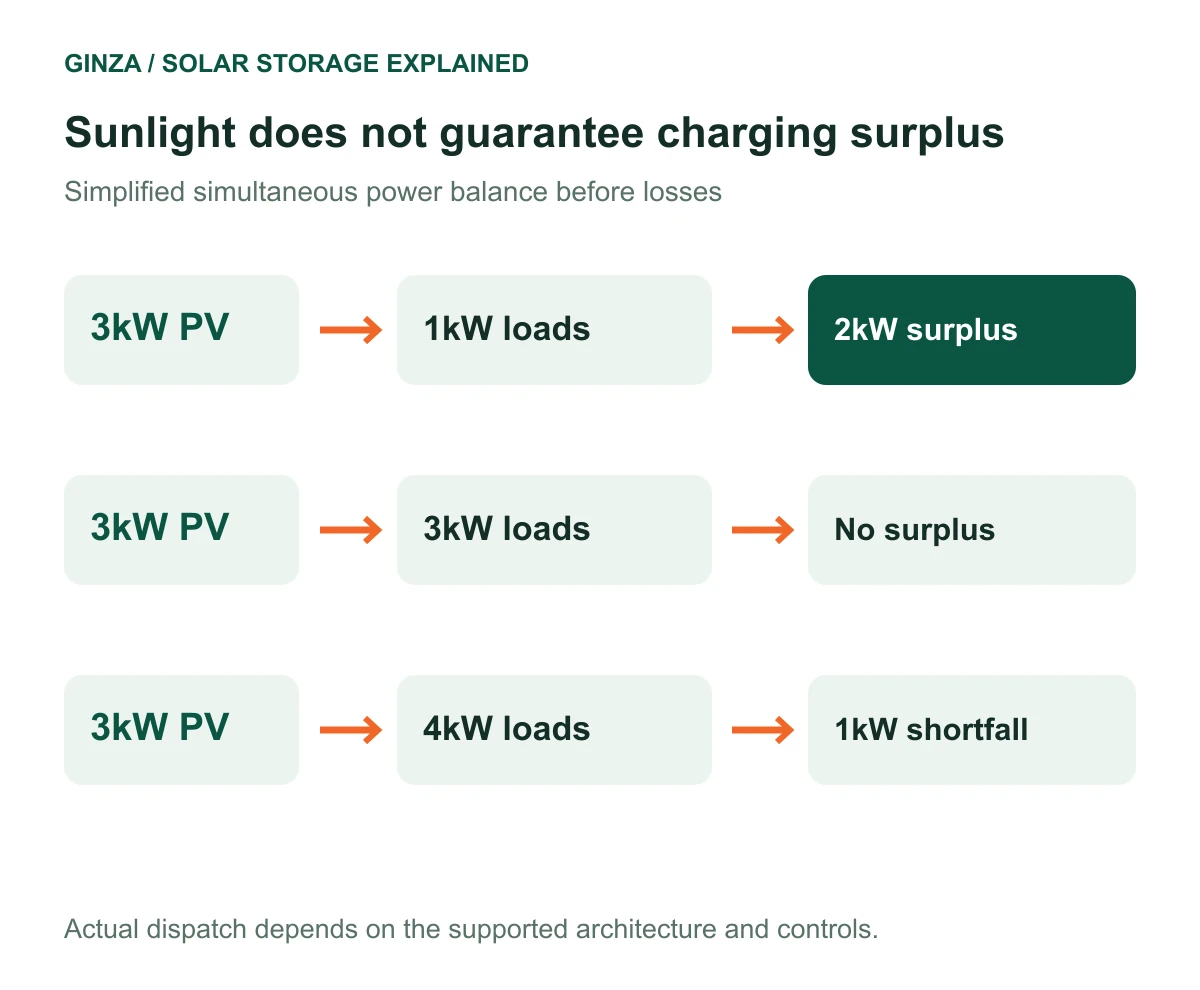
For an intentionally simplified example, 3kW of available PV with 1kW of loads leaves 2kW before losses and other controls. The same PV with 3kW of loads leaves no surplus. With 4kW of loads, another source may need to supply the remaining 1kW. These examples explain power balance; actual flow depends on the installation’s architecture and settings.
Look at trends as well as a single moment. Air conditioning, cooking or pumps can absorb the midday charging opportunity. Clouds and shading change generation. Increasing storage without addressing an energy shortfall will not automatically fix a bank that stays undercharged.
A battery may be deliberately refusing charge
Read the displayed SOC, status and alarm information through the normal user interface. The battery may be full, operating within a reserve strategy or communicating a reduced charge limit. The inverter may also be following a time schedule or a configured charging priority. Use the solar battery monitoring guide to align state of charge, power flows and alarms on the same timeline before sending them to support.
Victron’s solar-charger troubleshooting manual explains that external control can intentionally reduce or stop charging. That principle is useful for diagnosis, but its device settings and procedures must not be copied to another manufacturer’s installation.
A healthy communication link does not mean the battery permits unlimited current. Conversely, a displayed voltage alone does not prove the required BMS communication is working. Record the live charge limit where the equipment exposes it and have support interpret the value against the exact model. If charging is allowed but slow, use the LiFePO4 charging-time worksheet to compare the required charge with actual net current and source availability.
Check schedules without guessing new settings
Owners can collect screenshots of the current mode and charging schedule without altering them. Ask whether grid charging is intended, allowed and configured for the relevant period. A system designed to avoid grid charging may correctly wait for solar surplus.
Also record whether the symptom happens during normal grid operation or backup operation. The available charging sources can differ. An AC-coupled PV inverter does not automatically remain active during an outage just because a battery inverter is present.
If settings were changed recently, retain the prior commissioning record and the change history. Changing several charging modes, protocols and limits at once can erase the evidence needed to understand the original behaviour.
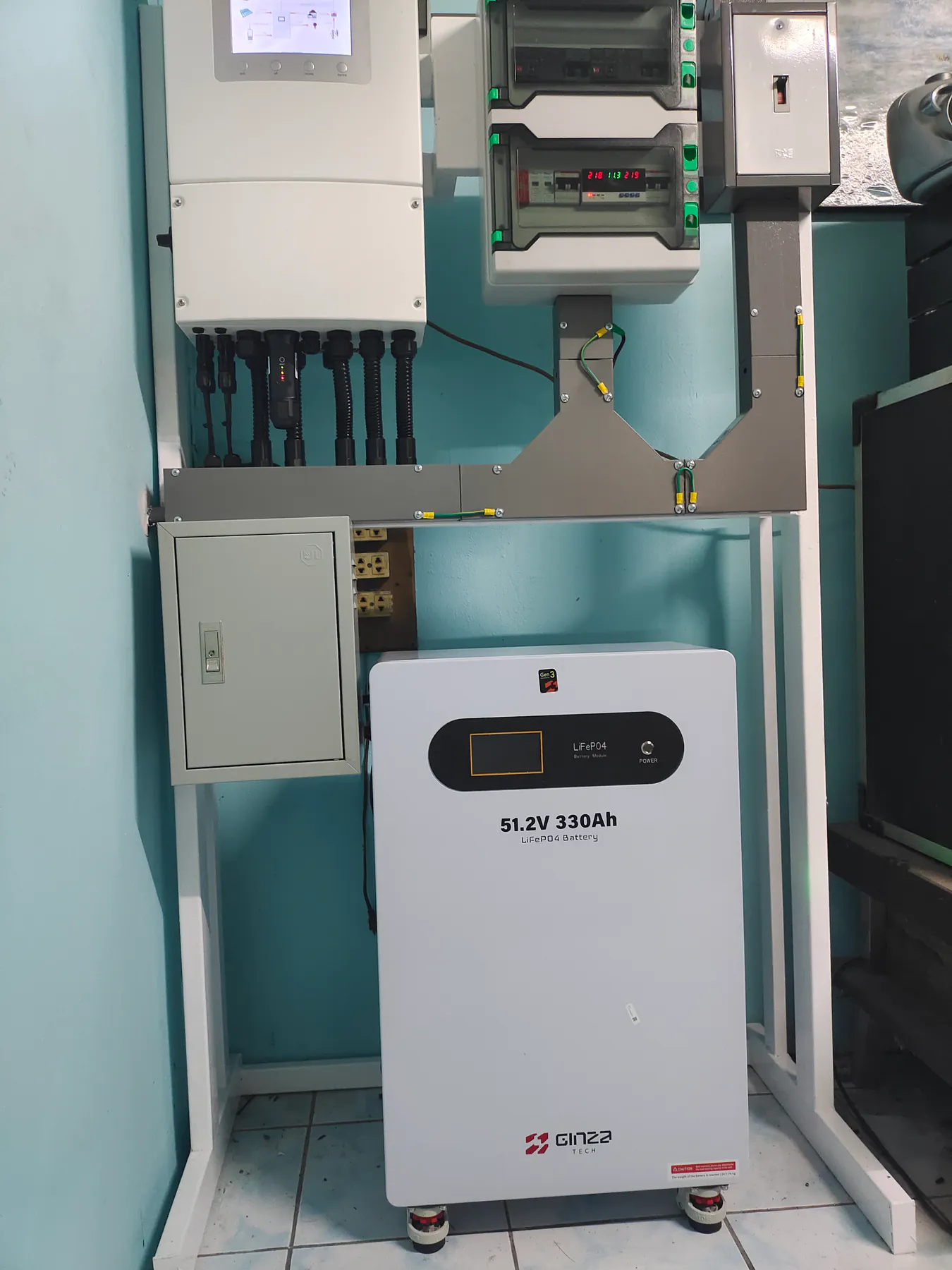
Separate an owner observation from an installer test
| Owner can normally record | Responsible installer or support review |
|---|---|
| Time, weather, normal monitoring values and visible alarms. | Source voltage and current tests using approved procedures. |
| Equipment names from accessible labels and existing documents. | Electrical connections, protection and isolation. |
| Current app mode and schedule screenshots. | Approved settings, protocol, pinout and firmware pairing. |
| When the issue began and changes made. | Equipment-specific diagnostic tests and controlled restart if required. |
Do not open covers, measure exposed terminals, move communication wiring or bypass a protective device as an owner-level troubleshooting step. Electrical measurements and configuration changes need the correct competence, equipment and documentation.
When communication is the suspected issue
Collect the exact battery and inverter models, quantity of batteries, firmware versions if displayed, communication method and alarm code. Ask support whether the pairing is approved and which cable and protocol documentation applies.
A cable with matching RJ45 plugs can still have an incorrect pin assignment or protocol. A replacement bank can also change address or master-device requirements. These are reasons to review the approved system configuration, not reasons to try every available inverter profile.
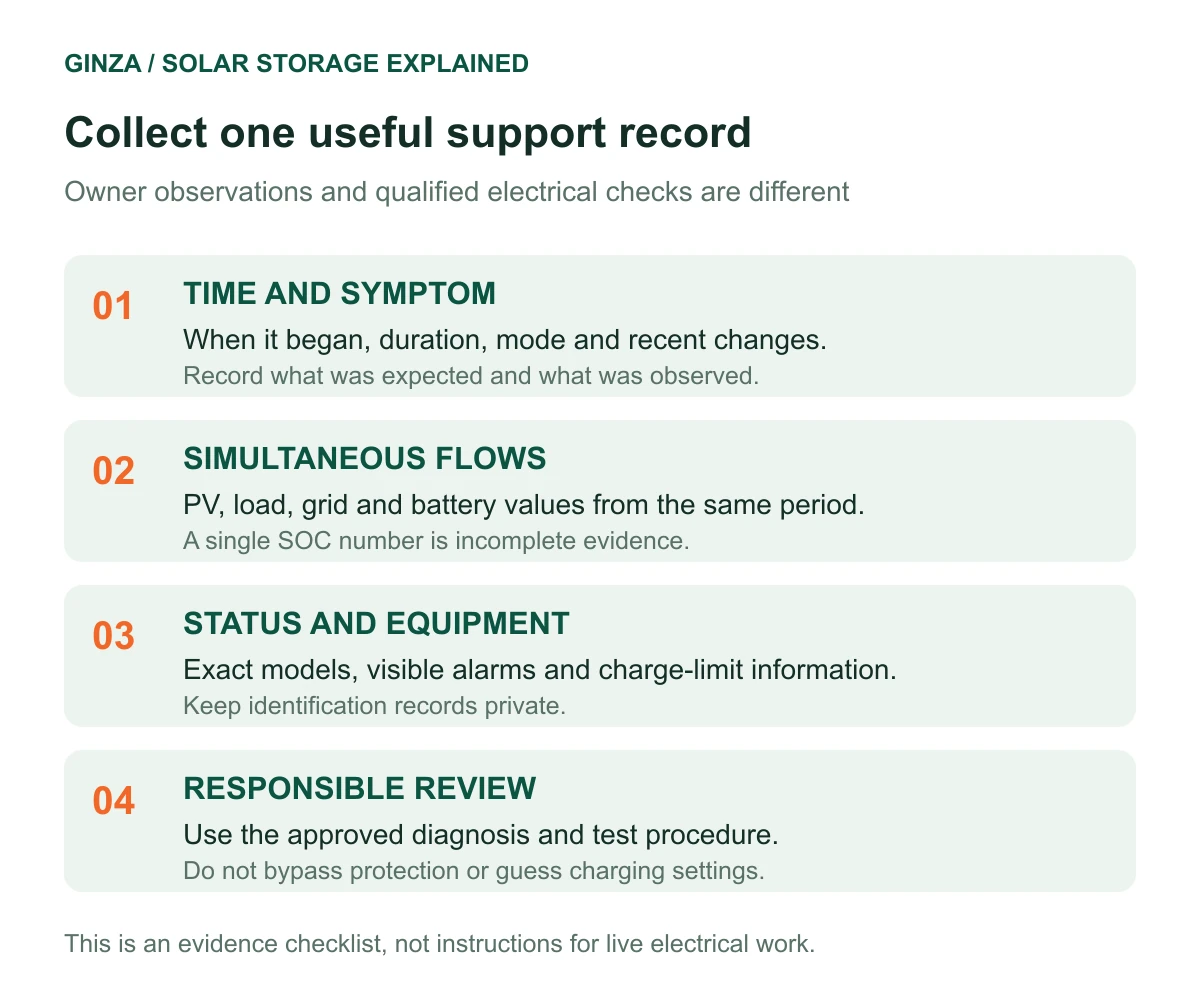
The commissioning guide provides the wider installer acceptance record. Use it to compare the present system with its documented starting condition and to retain the evidence after an approved repair.
Build one useful support record
A concise record can save several rounds of messages. Include the date and timezone, what you expected, what happened, the operating mode and an approximate duration. Keep screenshots of PV, load, grid and battery values from the same period.
For example: “Between 12:00 and 13:00, the display showed about 3kW PV and 3.2kW household demand. Battery charge stayed near zero, with no visible alarm.” That is more useful than “sunny but battery broken,” because it identifies a possible lack of charging surplus without assuming the final diagnosis.
Send private equipment identifiers directly through the relevant support route rather than publishing them. Remove unrelated customer information from installation photographs. Keep copies of the original settings and any approved corrective action.
Confirm recovery with an agreed test
After the responsible installer has identified and addressed the cause, confirm the expected operating behaviour under the approved conditions. The record should state the available source, load, charging mode, battery limits, observed current and alarm status.
A brief positive charge reading may not establish that the original day-long problem is resolved. Where the issue involved a schedule or inadequate daily energy, review the relevant period again. Keep any unresolved condition visible instead of marking every symptom fixed after a restart.
Sources and interpretation
The simultaneous power balances are deliberately simplified examples. The Victron reference explains one equipment family's control and diagnostic context; its settings are not instructions for another installation. Normal interface observations support a service review. Electrical tests, control changes and recovery procedures remain model-specific qualified work.
Frequently asked questions
Why is the battery not charging when the sun is out?
The loads may consume all available generation, the battery may be full, or the system may be following limits or a schedule. Record simultaneous power flows and status before concluding that equipment has failed.
Should I force a higher charging voltage?
No generic voltage change is appropriate. The exact battery and inverter requirements govern the settings. Have the responsible provider review the cause and approve any change.
Will adding a second battery solve slow charging?
It may increase storage without increasing available charging energy. First check the actual source, load and current limits. Use the expansion guide only after the system’s condition is understood.
Contact GINZA with your country, exact models and the observation record. For ongoing charging shortfalls, review the load and recharge assessment with the installer.