
State of charge tells you how full the battery is on its reported capacity basis. Depth of discharge describes how much of a reference capacity has been discharged. A backup reserve is an operating setting or strategy that preserves energy for a possible interruption. Read all three against the exact equipment’s definitions before calculating available backup.
For a single discharge from a full reference, 15 percent remaining state of charge corresponds to 85 percent depth of discharge. A cycle from 90 percent to 30 percent uses a 60-percentage-point window. The end reading and the amount used during that cycle therefore describe different things. This guide explains those relationships without prescribing a universal reserve setting.
Find out which percentage the dashboard reports
Ask the installer whether the displayed state of charge comes from the battery BMS, a shunt monitor or an inverter estimate. Confirm whether the percentage refers to nominal capacity or a manufacturer-defined usable range. Some products keep an internal protection buffer outside the energy shown to the operator. Use the documented capacity basis for the installed equipment.
The battery monitoring guide explains how to identify the source and timing of a reading. Keep the approved settings and the source of state of charge in the handover record. This makes it possible to interpret a reserve warning later without guessing from a screenshot.
Separate the operating window from an end percentage
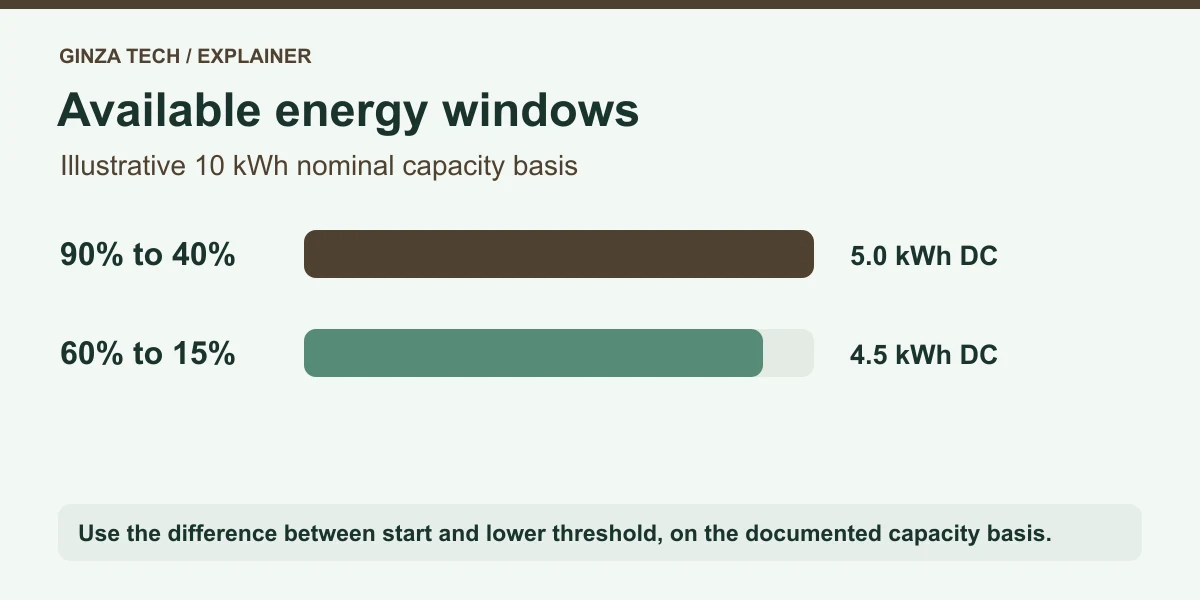
Consider a hypothetical 10 kWh nominal battery. A discharge from 90 percent to 40 percent uses half its nominal capacity, or 5 kWh DC in simplified accounting. A discharge from 60 percent to 15 percent uses a 45-percentage-point window, or 4.5 kWh DC. Applying an illustrative 90 percent discharge conversion to the second case gives 4.05 kWh AC before any separately counted overhead.
| Example state | Meaning | 10 kWh nominal calculation |
|---|---|---|
| 90 to 40 percent | 50-point operating window | 5.0 kWh DC |
| 60 to 15 percent | 45-point available backup window | 4.5 kWh DC |
| 15 percent remaining after starting full | 85 percent discharged from that reference | 8.5 kWh DC removed |
The NREL PV and storage O&M guidance discusses depth of discharge as a fraction of capacity used and its relationship to operating history. The simple examples here assume a consistent capacity reference. Age, temperature, estimation error and equipment restrictions can change usable energy.
Use two different percentage calculations
DoD from a full reference = 100% − remaining SoC. For a partial discharge, the energy window instead uses starting SoC − lower operating threshold. A move from 60% to 15% ends at an 85% DoD reference if the readings use that convention, but uses a 45-percentage-point window during that event.
For the 10 kWh example, the simplified available AC energy is 10 × 0.45 × 0.90 = 4.05 kWh before separately counted overhead. Use the capacity basis identified by the equipment supplier. The percentage shown on a dashboard cannot establish the bank’s nominal or remaining capacity on its own. For comparison, the GINZA 330 Ah Gen5 product page lists 16.896 kWh nominal; that rating is a different input from the generic 10 kWh example.
Ask how grid mode and backup mode differ
A system may stop ordinary evening discharge at a selected reserve while the grid is present. During a real outage, its supported backup mode may use a different lower threshold. Another product may retain the same threshold. Ask which behavior applies and whether any reserve is unavailable to the owner because it protects the equipment.
Document how the system responds at each threshold. Ask about warnings, load shedding, cutoff, restart and the source needed to recover. The outage behavior guide covers the wider circuit and transfer design. A charge percentage by itself cannot tell you which socket stays powered.
Translate a desired reserve into a load scenario
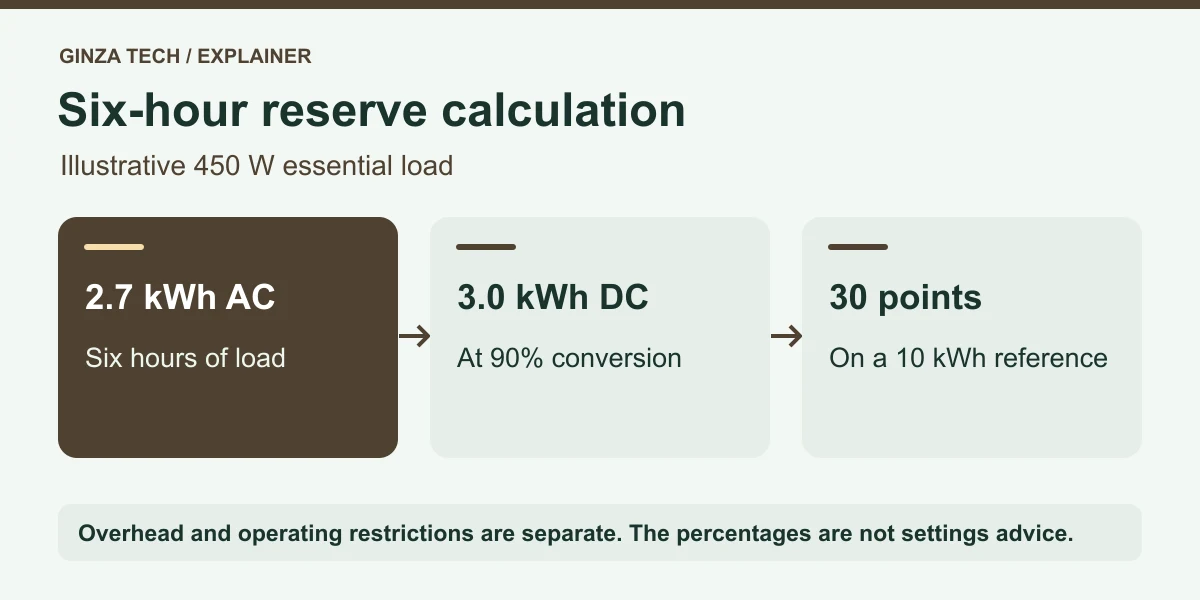
Suppose essential loads average 450 W for six hours. They require 2.7 kWh AC before additional overhead. At an assumed 90 percent discharge conversion, the battery needs about 3 kWh DC for those AC loads. On a 10 kWh nominal reference, that is a 30-percentage-point energy window. If a supported lower floor were 15 percent, the arithmetic starting point would be 45 percent, before any allowance for overhead, variation or unavailable capacity.
Those percentages are inputs for a discussion with the installer, not settings to copy. Ask the provider to use measured loads, the supported operating window and the actual equipment. A larger starting reserve may be appropriate for a different duration or uncertainty, while the operating trade-off needs to remain visible.
Show the trade-off with everyday energy use
With an illustrative upper target of 90 percent, a daily lower threshold of 20 percent allows a 70-point window. Raising that daily threshold to 40 percent reduces the window to 50 points. On the same 10 kWh nominal basis, 2 kWh DC is being preserved for another purpose. The change can reduce normal evening battery use while improving readiness under the supported backup strategy.
Use the battery payback worksheet to check how much energy will actually be shifted after setting that reserve. For an outage priority, value the avoided interruption separately from ordinary bill savings. Avoid assigning the same kWh to both daily use and a guaranteed untouched reserve.
Recheck recharge and service conditions
The operating plan needs enough charging opportunity to return to the target. After an outage, compare the missing energy with the time and source available before the next expected interruption. The charging-time guide shows how current limits and source changes affect that recovery.
Record approved reserve changes, the reason for them and the resulting observed behavior. If the battery regularly fails to reach the target, ask whether the issue is source availability, schedules, limits or a fault. Keep the review within the manufacturer’s operating and warranty conditions. The life and warranty guide covers the documents to retain.
Review the energy basis as the system changes
A displayed percentage is meaningful only alongside the capacity to which it refers. If an illustrative 10 kWh nominal bank has a usable capacity basis that is now 9 kWh, a 45-percentage-point window corresponds to 4.05 kWh on that basis. At 90 percent discharge conversion it yields about 3.65 kWh AC before separate overhead. The same percentages can therefore support less time than they did when the relevant capacity basis was larger.
Ask the supplier how the BMS reports capacity and whether the dashboard adjusts its estimate over time. Keep the approved reserve policy separate from any change in the capacity estimate. A persistent discrepancy should be reviewed under the supported measurement or service process, rather than resolved by repeatedly changing the reserve.
After adding modules or replacing an inverter, verify the source of state of charge and the operating thresholds again. Have the installer update the handover record and demonstrate the supported behavior. A reserve plan that was checked for the previous bank may need a new energy and current review before the owner can rely on the same backup duration.
Sources and example boundaries
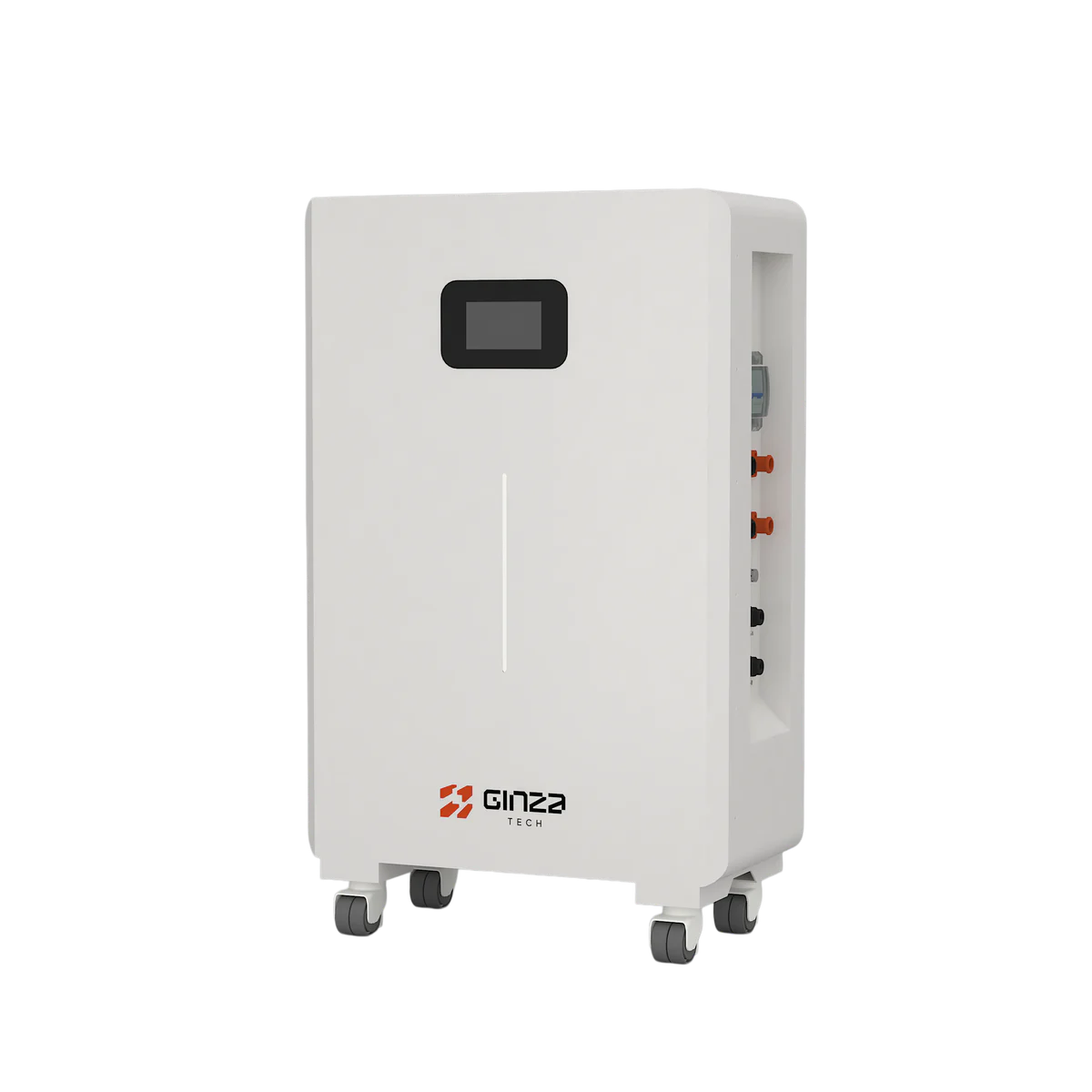
The 10 kWh bank, conversion assumptions and reserve percentages are calculation examples. They are separate from the pictured product's published nominal capacity and do not prescribe its operating settings. The reference supports the capacity-window discussion.
Frequently asked questions
Does a stated 90 percent maximum DoD mean I should use it every day?
Review the recommended operating window and the conditions attached to both figures. A published maximum and a preferred duty can serve different purposes. Use the exact model’s documents and the installer-approved plan.
Is an extra design margin the same as reserve?
A design margin can increase the capacity selected for an uncertain load. A reserve policy controls how stored energy is allocated during operation. Show both explicitly in the calculation so they are counted consistently.
How do I get a reserve review for an existing system?
Send the battery and inverter models, reported state-of-charge source, current settings, essential loads and required hours through the project enquiry form. The maintenance checklist helps keep the approved result in the service file.